Quilting’s scariest moment is committing to a design you can only half-see in your head. Graph paper, colored pencils, and seam-allowance math stand between the idea and the first cut, and one wrong number wastes real fabric.
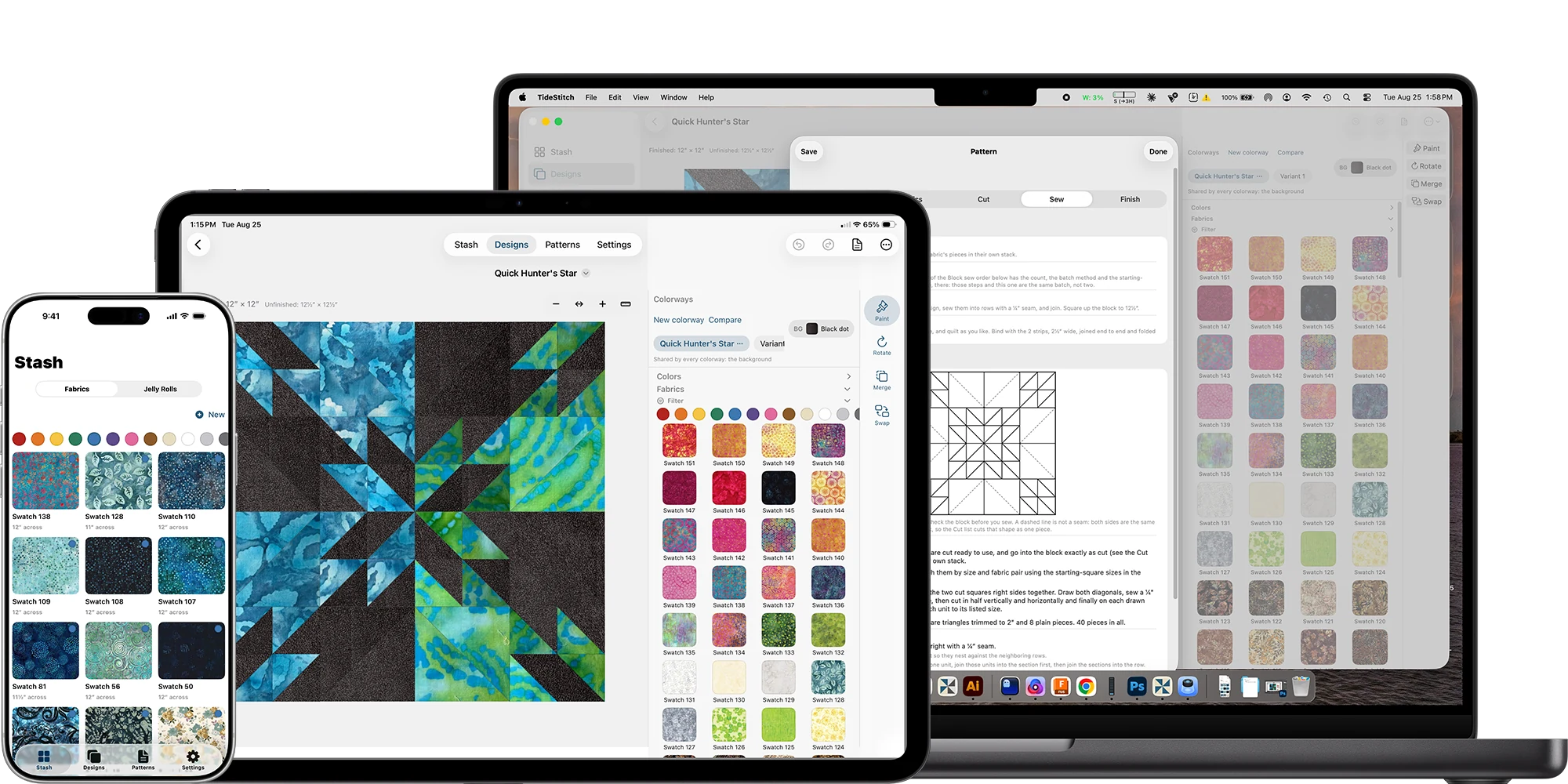
So I built the audition room, and it kept growing. Live on the App Store for iPhone, iPad, and Mac: photograph the fabric you already own, drop it into a block, and audition it tiled at true physical scale (a 6″ print reads like 6″, not shrunk to fit the patch). Lay out traditional blocks, run Jelly Roll mode for strip patterns, or start from a blank top with Design Your Own (set the grid, cut cells into triangles and bands, fan rays out from a compass point), and either way you walk away with an accurate cut list, the yardage, and the order to sew it in. Your whole library picks up and moves: export it to a single file, import it back on any device. Private iCloud sync, no ads, no accounts.
Key calls: The canvas runs on a recursive block-tree model: a block can contain blocks that contain blocks, which is why traditional layouts, strip patterns, freeform Design Your Own tops, and mixed grids compose instead of colliding. Fabric auditions render at true physical scale (a 6″ repeat reads like 6″, or the audition lies to you). And the cut list comes from the same model that draws the canvas, so the preview and the cutting table can never disagree.